Solution
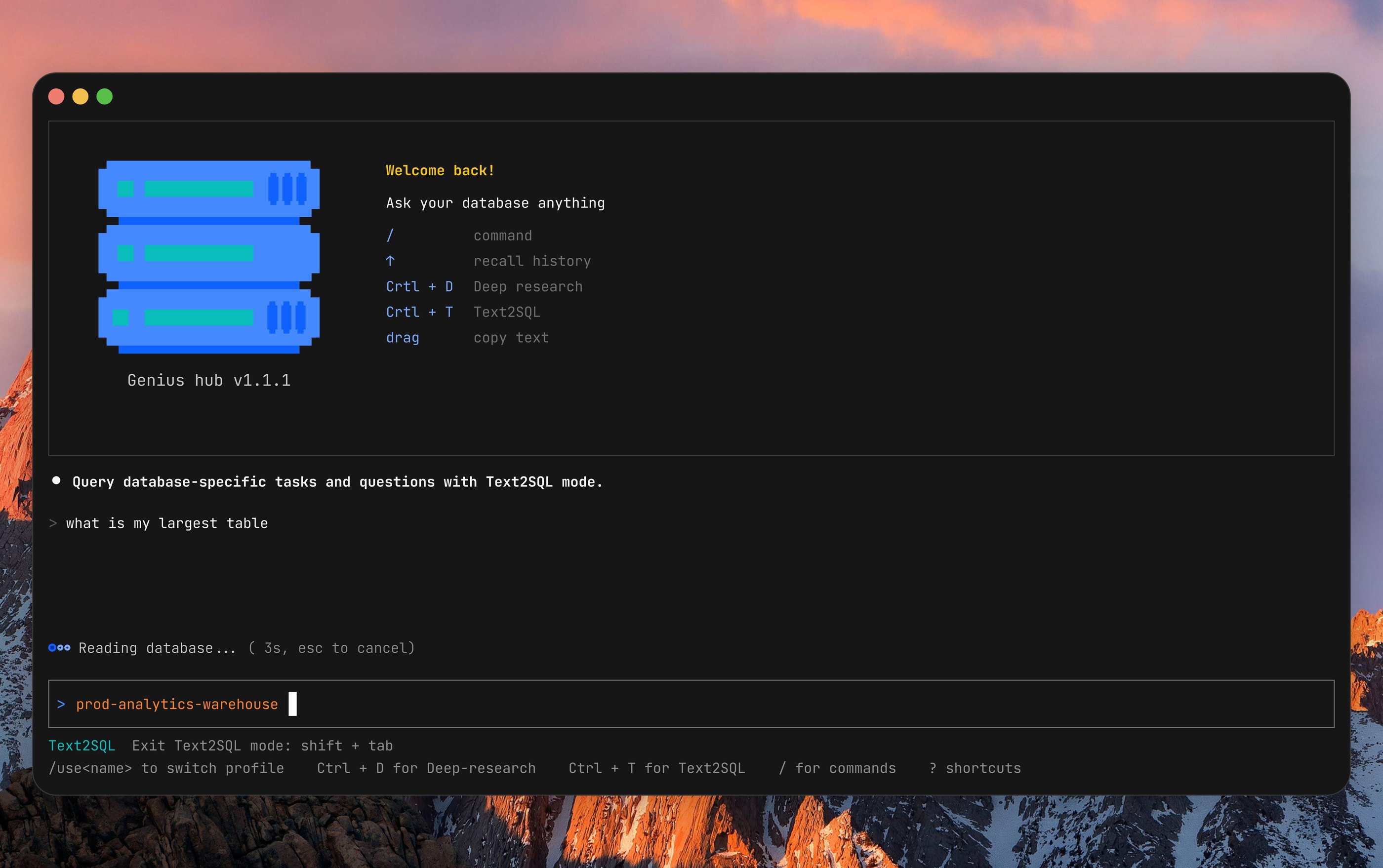
Database Administrators often work in the terminal. Extending Genius AI beyond the GUI on-premises experience (think Desktop app) meets them where they already are, driving AI adoption and amplifying client value.
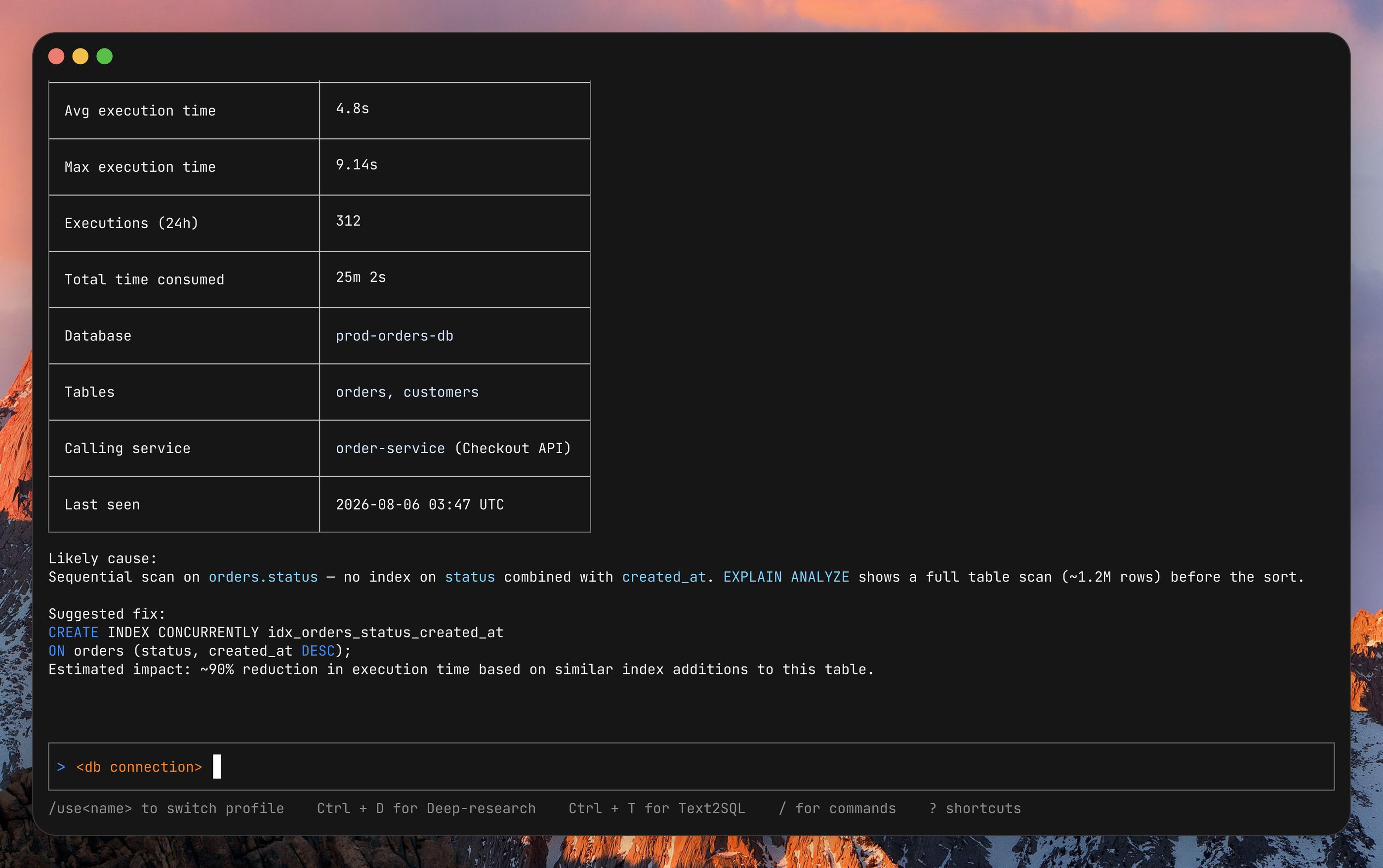
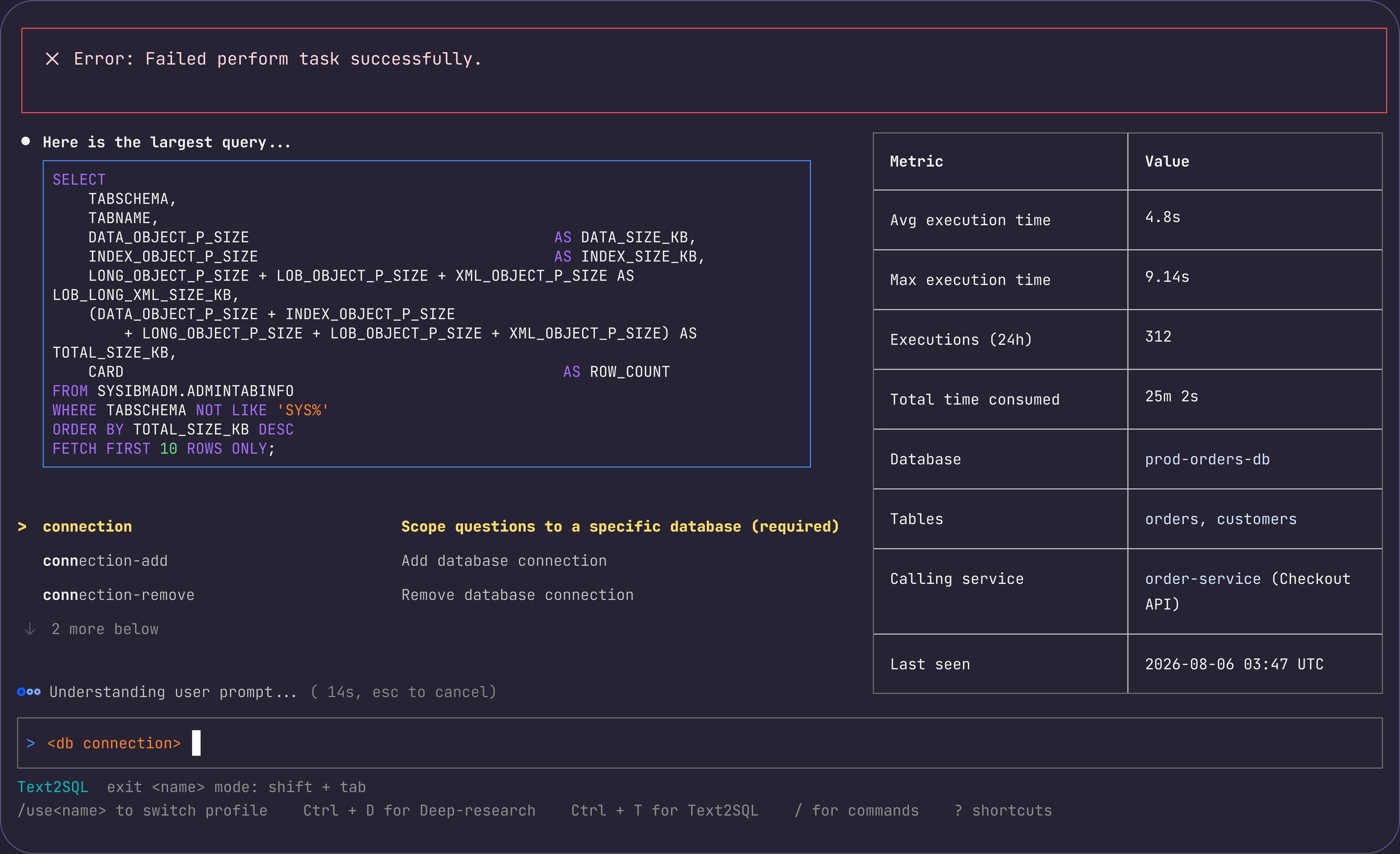
With no precedent for Agentic AI in an IBM Software terminal, I built the UI library from scratch: data grids, slash-command type-ahead, modes, and code blocks.
Design principles
Make it delightful
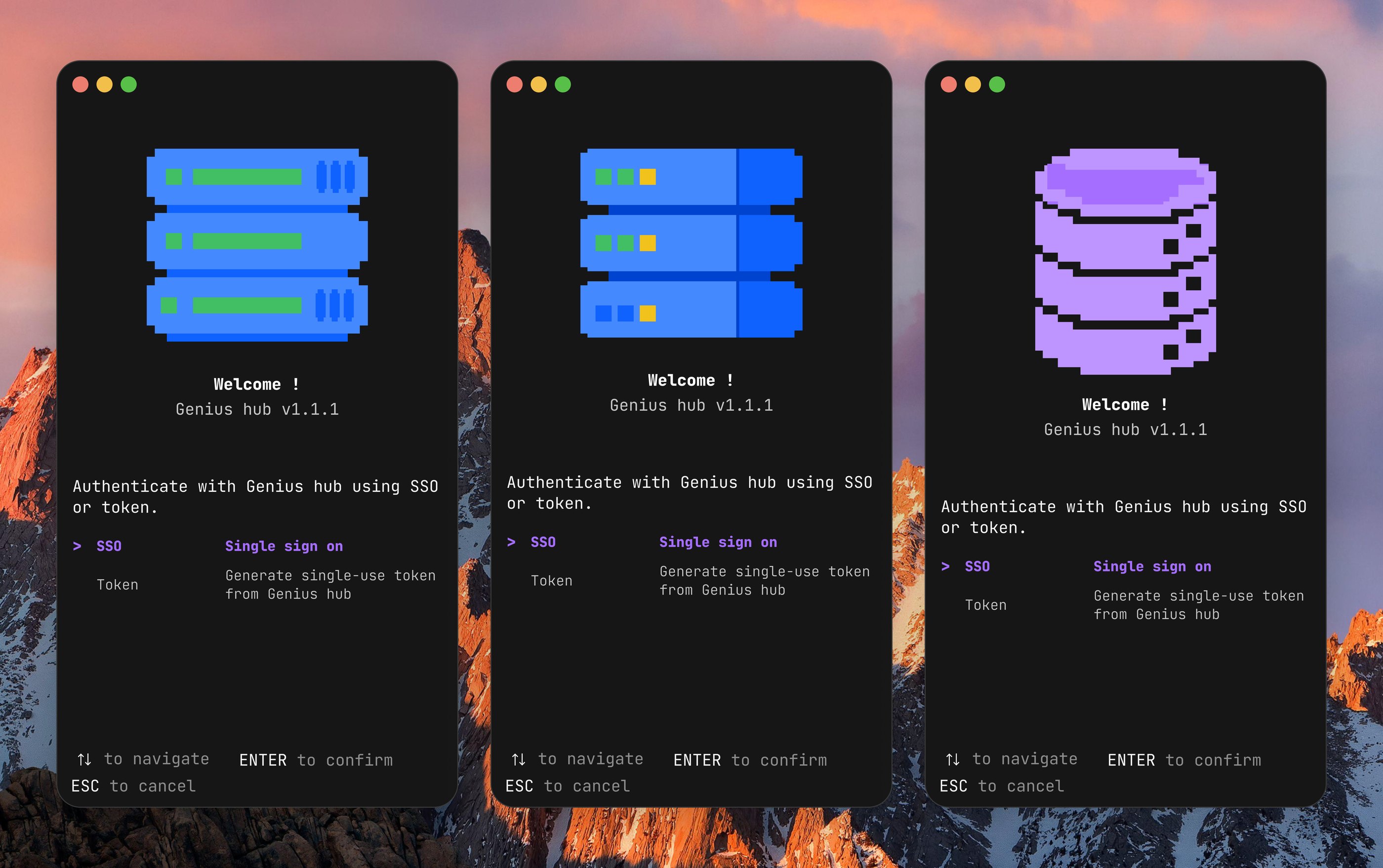
[Left] The final mascot design features a retro-inspired and playful colour scheme. The addition of a DB2 database mascot adds to the delight and pays homage to retro nostalgia and the early days of digital devices.
A modernized visual and interaction changes long-held market perception of IBM Db2 and overall, IBM enterprise products. The refresh transforms Db2’s market reputation from an ‘old’, niche enterprise product to an all-round innovative product that serves beyond the use cases of a Database Administrator:
- Developers who need schema discovery, query explanation, and access-plan analysis without leaving the terminal
- On-call engineers who need fast answers about locks, blocking, or HADR state over an SSH session at any hour
- Teams on strict tooling policies who can’t adopt new web-based consoles but can install a single binary
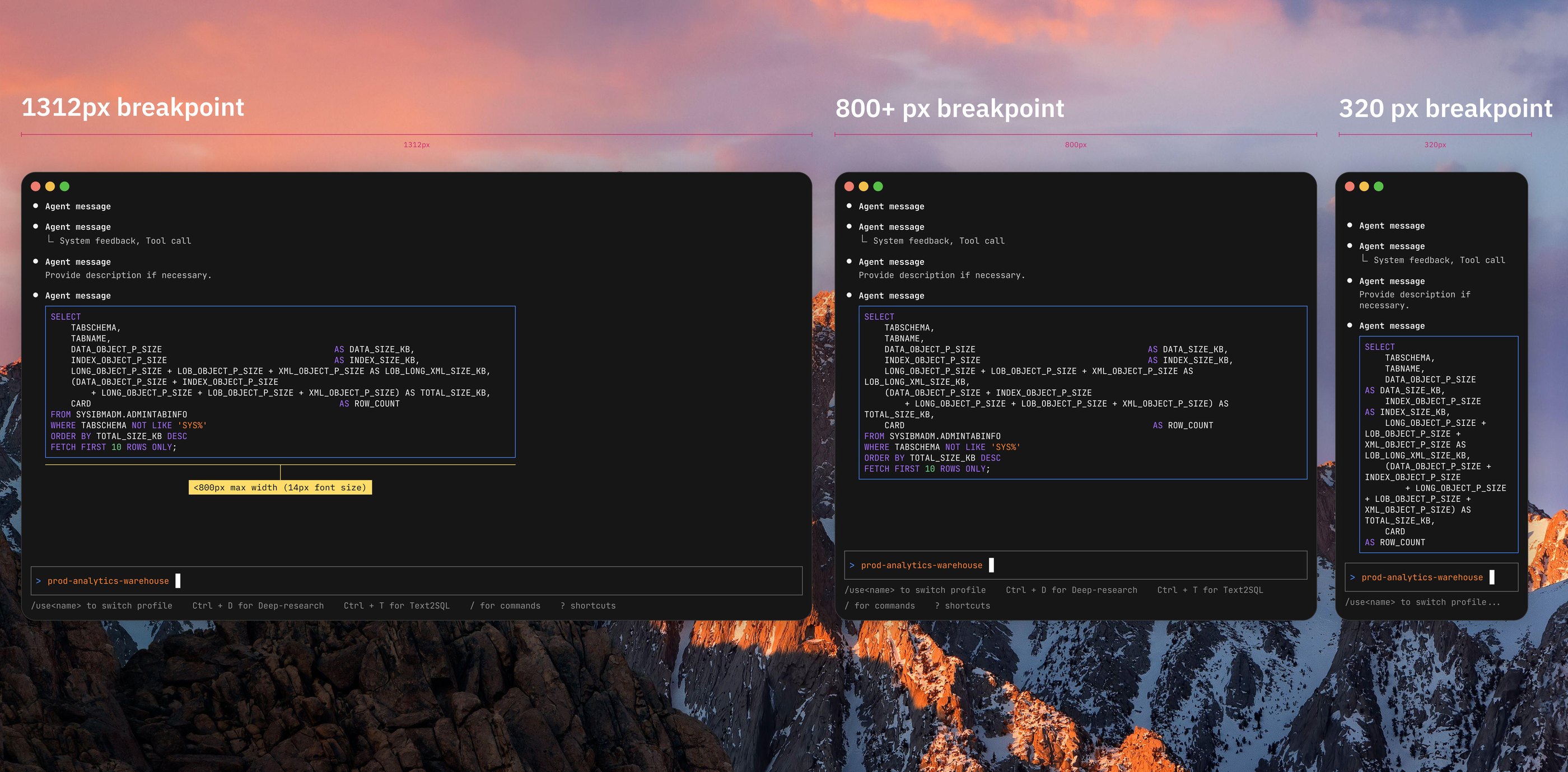
Reconcile terminal UX conventions with modern UI/UX practices
Largely inspired by Agentic CLIs like Claude CLI, Kiro, and Cursor CLI, I modernized the terminal with refreshed visual and interaction patterns.
Great attention is paid to improved keyboard accessibility, breakpoint degradation, and more.
Impact
End-to-end prototype made with AI: Made with Claude code, the prototype showcased an AI-integrated design process and inspired internal AI adoption. Alignment with Engineering and Product also massively accelerated with a working code prototype.
I discovered micro-details and more that I would usually take from a couple of days to sometimes weeks to see after the staging front-end build has been completed. Keyboard accessibility, readability, and overall ease of use was easier to address.
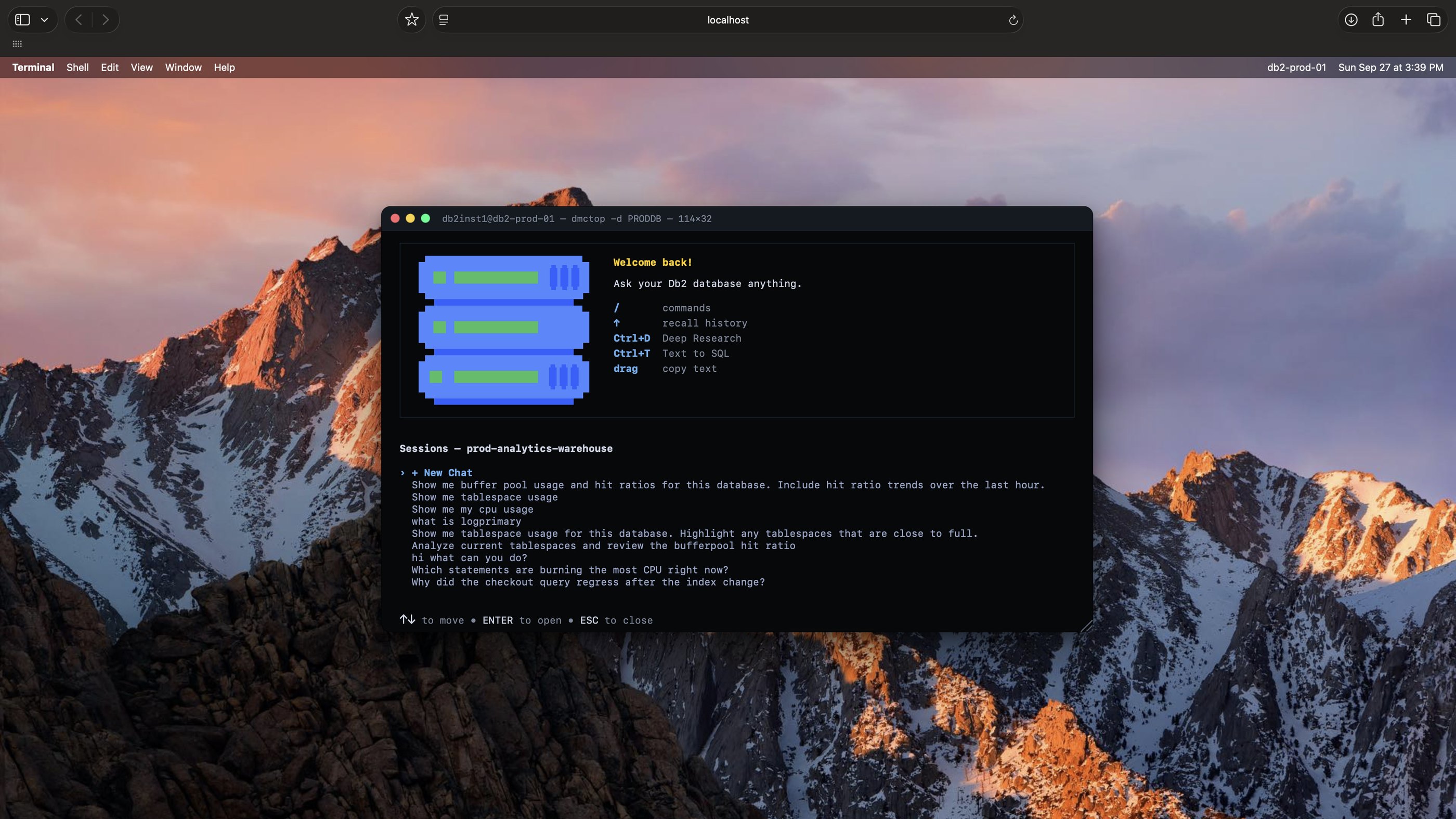
0 → 1: Without a design precedent, I designed the first Agentic CLI design patterns in IBM Core software portfolio. Patterns are in the process of contribution to the larger IBM design system.
Hi Audrey, Congrats on the visibility your work on Genius CLI is getting! You saw an opportunity to elevate the experience and took the initiative to explore, experiment, and create a truly delightful design direction. What stands out most is that you did not wait for permission. You identified a need, followed your instincts, and delivered work that inspired others across Core when you presented it. And I can truly see you had fun doing it! It’s been great to see that work now receiving broader recognition through the community announcement. Great work, Audrey! You should be proud of what you’ve of your awesome work and your initiative to explore new areas and skills.
See my designs in a IBM Community Blog Post:
Genius CLI: AI-Powered Db2 Intelligence, Right in Your Terminal
With new features coming up in Q4 2026, the rest of the case study is in the works…Check back soon!
ESC to go back homeSHIFT + TAB to view next case study, Agentic AI for Database Management: Deep research and Write SQL using natural languageCTRL + L to view my Linkedin